Visual by default
Map messages, conditions, bookings, payments, knowledge, and handoff on the canvas.
The visual workflow platform for WhatsApp
Design, simulate, version, and deploy bookings, payments, support, and AI-assisted journeys to your own or your clients’ WhatsApp numbers—without building the messaging backend.
No card required · No Meta setup to build or test
Looping animated preview of Fluenta's flow editor: a WhatsApp booking flow keeps growing while the canvas glides sideways. A trigger connects to a button menu, then booking and an AI knowledge agent, then payment, human handoff and contact-tagging nodes join, and a fresh flow starts assembling as the loop continues. A connected phone plays the resulting conversation, including a deposit payment and booking confirmation.
Built on Meta’s official WhatsApp Business Platform
Client-owned numbers and accounts
Versioned publishing
JavaScript, Python, HTTP, and webhooks
Inspect the product
Built to be inspected before you trust it. Follow a booking, support, commerce, or qualification journey from the incoming WhatsApp message to the final operational result.
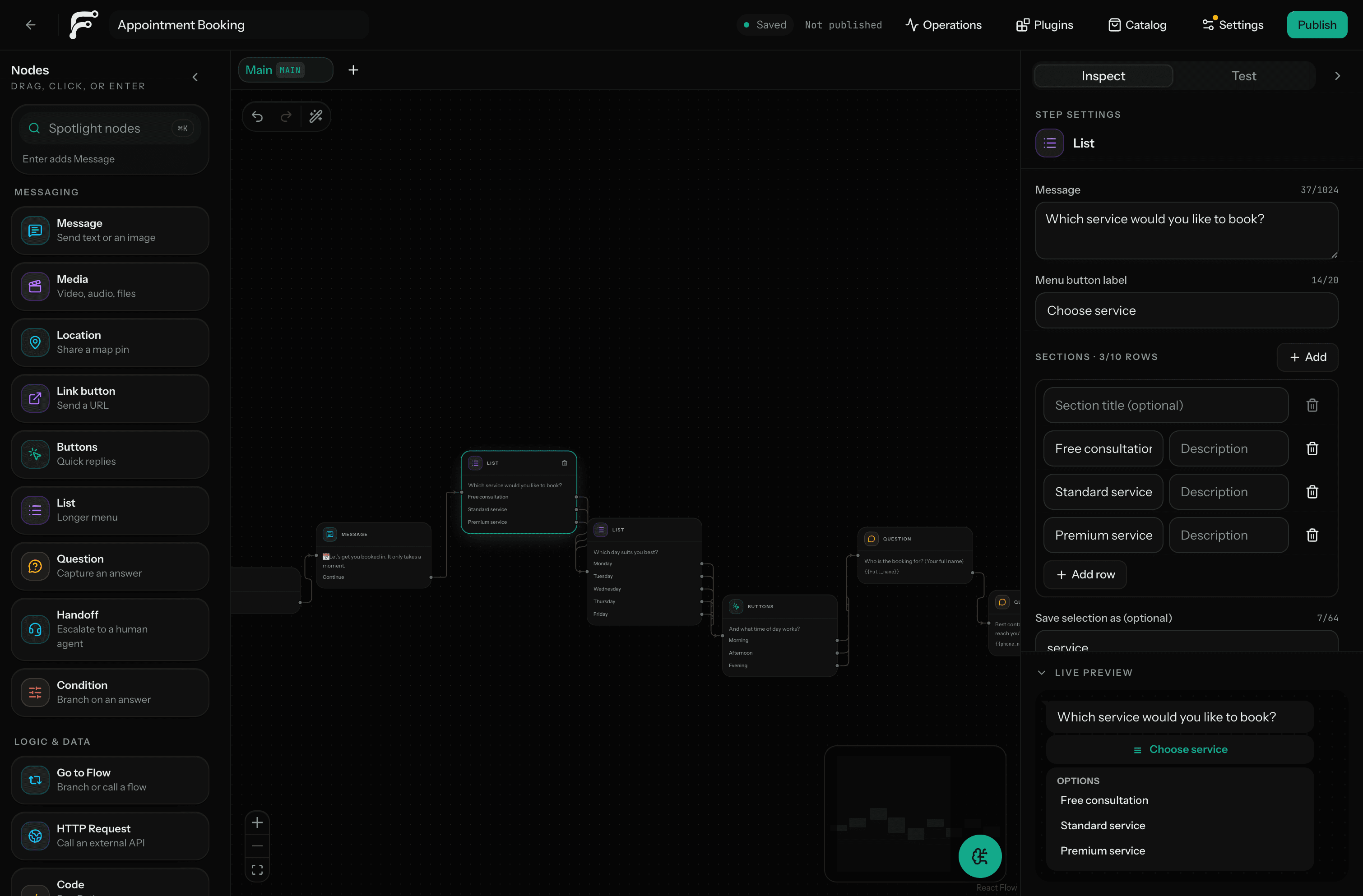
Drag any of 24 node types onto the canvas, or describe the workflow and let AI draft a starting point.
Live on WhatsApp
Every reply your customers see comes from a flow you built: buttons, booking slots and knowledge answers, delivered inside WhatsApp's own chat chrome.
Buttons, lists & rich replies
Native WhatsApp UI, not walls of text.
Answers from your own docs
The bot answers using your approved menus, policies, and FAQs.
Booking built in
Live availability, booking confirmation, calendar feed.
Human handoff
Escalates to your team inbox with full context.
Café Andino
automated repliestyping…
An actual Fluenta template. Install it and swap the copy.
A customer messages Café Andino on WhatsApp asking for a table for four tonight. The Fluenta bot greets her by name and offers three time slots as tappable buttons. She taps 8:30 PM, and the bot confirms the reservation with a summary card carrying the booking reference, then signs off warmly. The conversation loops continuously, with each finished chat scrolling up as history.More than a chatbot canvas
Most WhatsApp projects fail between the diagram and production. Fluenta keeps the customer journey, runtime logic, testing, deployment, and operations in one inspectable workflow.
Map messages, conditions, bookings, payments, knowledge, and handoff on the canvas.
Run every branch, inspect variables, and trace execution without connecting a number.
Call an API, run JavaScript or Python, map outputs, and keep explicit error paths.
Release a validated, immutable workflow version without changing the draft under construction.
Workflow lifecycle
Start from a template, describe the workflow to AI, or build it node by node.
Test customer inputs, conditions, variables, media, fallbacks, and handoff paths.
Connect the business-owned WhatsApp number and publish a validated version.
Measure completion, conversion, handoff, and drop-off against the actual workflow.
Operational outcomes
Offer live availability, collect the customer’s details, request a deposit, and create the confirmed appointment.
Explore bookingsAnswer from approved information, route uncertain questions to a person, and preserve the complete conversation context.
Explore supportAsk the right questions, score or route the lead, sync the result, and bring in a salesperson only when needed.
Explore qualificationCreate isolated workspaces, reuse approved templates, manage access, and deploy to client-owned WhatsApp accounts.
Explore agenciesBuilt for repeatable client delivery
Give each client an isolated workspace, start from a reusable workflow, test the complete journey, and deploy to the WhatsApp account the client owns.
Product capabilities
Messages, questions, conditions, media, lists, bookings, payments, knowledge, handoff, APIs, and code in one graph.
Exercise every branch and inspect variables, call stack, trace, and executed edges.
Validate the draft and publish an immutable workflow definition.
Draft workflows from a prompt and answer customer questions from controlled business sources.
Escalate a conversation, assign the ticket, reply with context, and return the customer to the workflow.
Use secrets, signed webhooks, scoped tokens, HTTP requests, JavaScript, Python, and portable JSON.
Ownership and trust
Each business connects its own WhatsApp Business account and phone number. Meta charges remain on that account, and the workflow can be exported without including its credentials.
Review securityStart from a working pattern
Explore 9 workflows with their outcome, key nodes, required integrations, and setup detail before you make one your own.
Pricing
Build and validate a pilot.
Run one serious WhatsApp operation.
Scale customer operations.
FAQ
Yes. The canvas, simulator, debugger, templates, and workflow publishing can be used before connecting Meta. A number is required only for live WhatsApp traffic.
No. Each business connects a number and WhatsApp Business account it owns.
No. The workflow is visual by default, with HTTP requests, JavaScript, Python, signed webhooks, API tokens, and JSON import/export when deeper integration is required.
After the pricing model is changed: no. Meta bills its fees directly to the connected business account. Fluenta charges separately for the platform and metered AI or compute usage.
Yes. Agency plans provide isolated client workspaces and defined live-deployment capacity. Each client can retain ownership of its Meta assets.
Knowledge workflows should follow an explicit fallback path such as clarification, a deterministic response, or human handoff. Fluenta should not invent an answer outside the configured sources.
Start with a template or an empty canvas. Test the complete journey without a card or Meta setup.